ProjectsCustom Web Operating SystemsClient Flow
● Live ProductInvitation-only client portal

A Connected Client Experience From Onboarding to Delivery

Client Flow is a custom client-facing web application designed to manage invitations, onboarding, project progress, requirements, communication, files, and service delivery in one structured experience. It reduces the need to manage client work across scattered emails, forms, messaging apps, and documents — giving Rue Solutions an internal project workspace and each client a focused portal for their own engagement.

Category
Client Onboarding & Delivery Portal
Access
Invitation-only, role-aware
Status
Live
Live product
client.ruesolutions.com
The Challenge

Client work was scattered across emails, forms, and messages.

Every new client engagement started with a different mix of email threads, standalone intake forms, DMs, and shared documents. Onboarding details lived in one place, project status updates in another, and requirements or files got buried in inboxes. Clients had no single place to check where their project stood, and Rue Solutions had no consistent way to track who had onboarded, what was outstanding, or what needed a nudge.
The system built
Client Flow gives each client a secure, invitation-only portal covering onboarding, project visibility, requirements, and delivery — while giving Rue Solutions a connected internal workspace to manage every client engagement from one place, on desktop or mobile.
The System

The major workflows inside Client Flow.

Invitation & Account Setup
Secure, invitation-only account creation — no self-serve sign-up.
Client Onboarding
Structured onboarding questionnaires that replace scattered intake forms.
Project Visibility
A clear overview of project status and milestones for each client.
Requirements & Assets
A structured place to collect requirements, files, and assets from clients.
Invitation Recovery
Resend invitation and onboarding recovery flows for clients who stall out.
Role-Aware Access
Clients see only their own engagement — access is scoped and protected.
Product Experience

Desktop and mobile, from the real application.

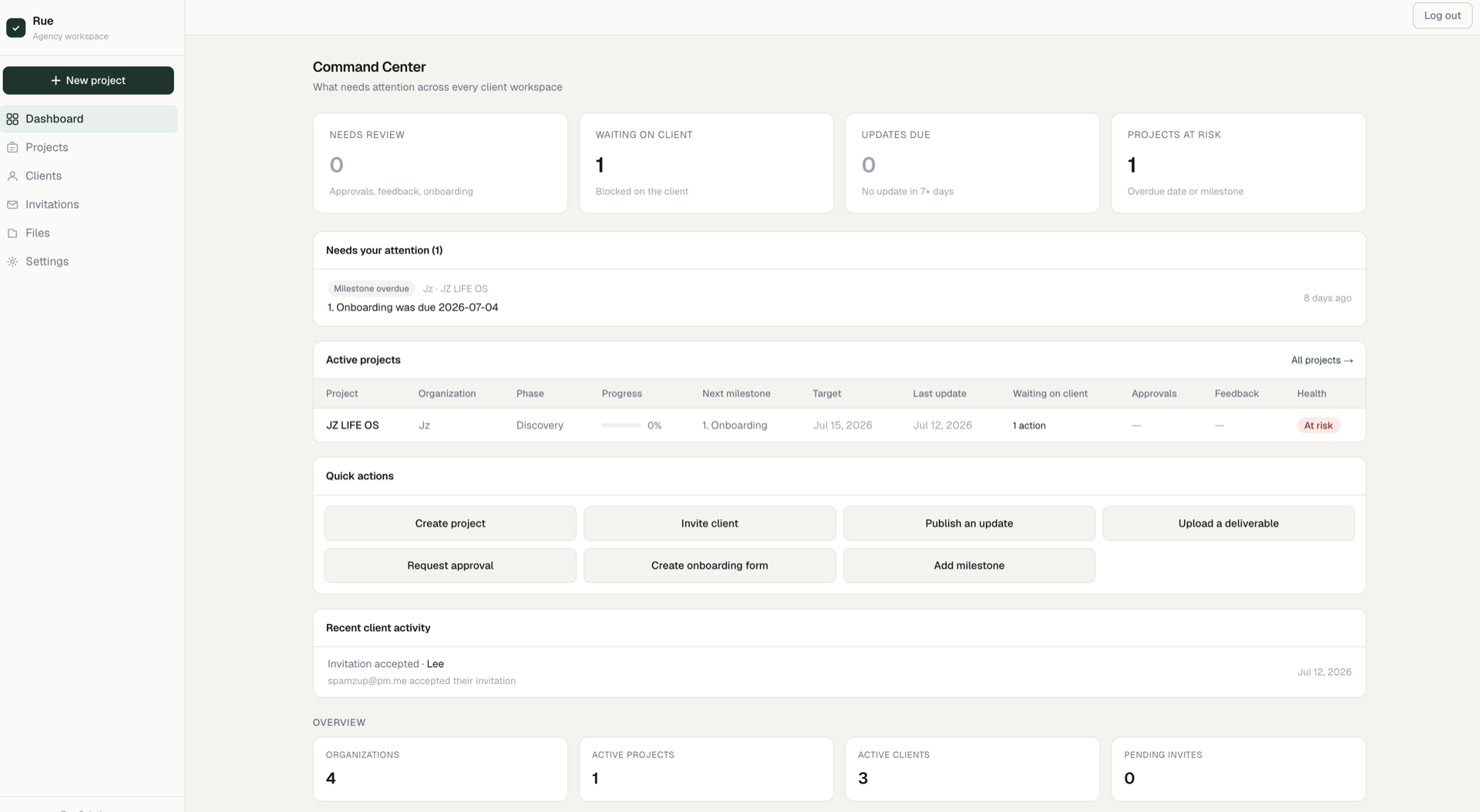
Client Flow is invitation-only and authenticated — these are real captures of the actual product interface, taken from the live workspace with the agency's own demo account.
client.ruesolutions.com
Client Flow agency-side Command Center showing Needs Review, Waiting on Client, Updates Due, and Projects at Risk tiles, plus active projects and recent client activity
Agency-side command center for client activity, project status, and items requiring attention.
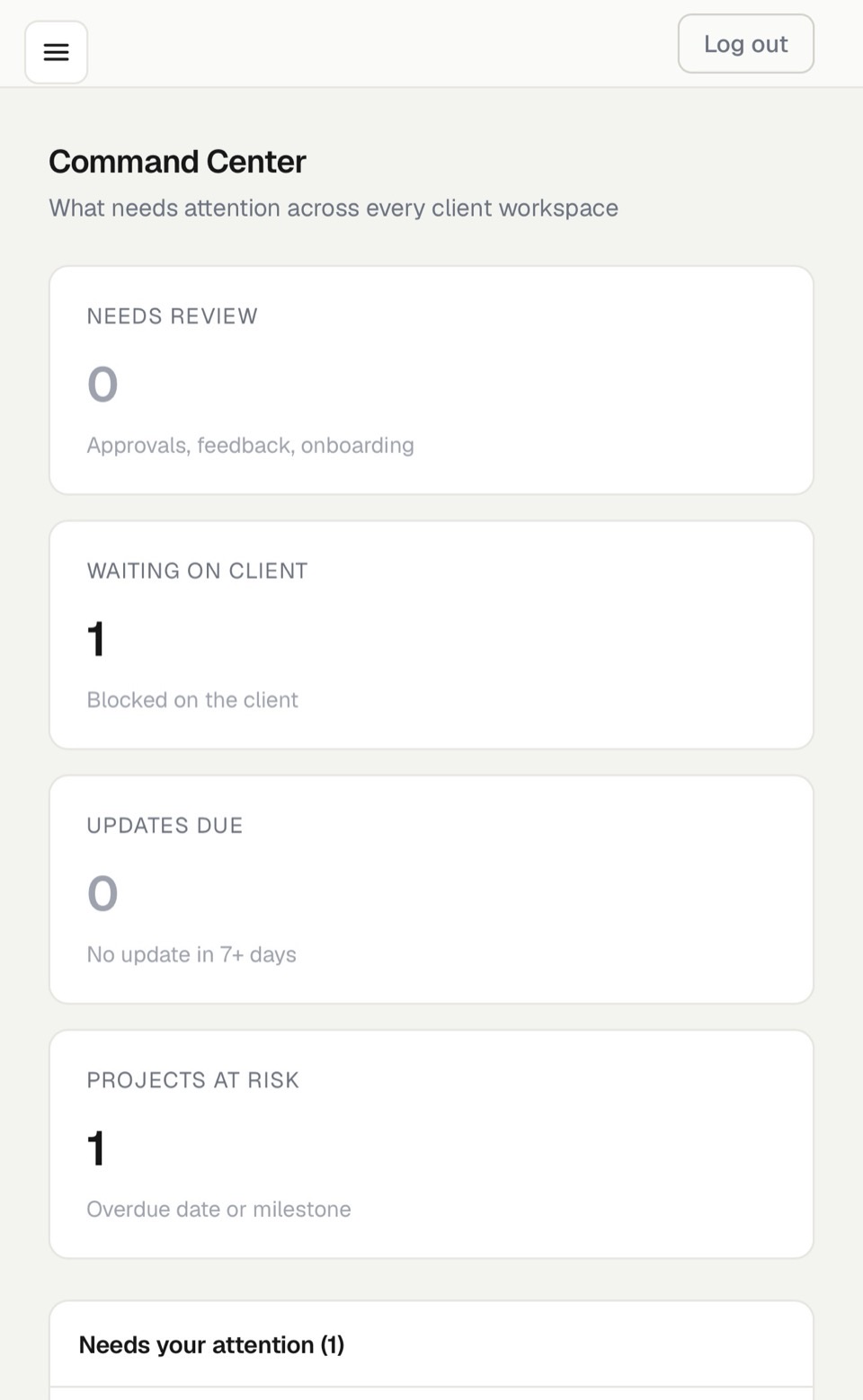
Client Flow mobile Command Center showing Needs Review, Waiting on Client, Updates Due, and Projects at Risk summary tiles
Responsive mobile access to onboarding and delivery visibility across client workspaces.
Key Workflow

Invitation to delivered work.

01
Client invited
Rue Solutions sends a secure, invitation-only account setup link.
02
Account created
The client sets up their account through the invitation flow.
03
Onboarding completed
The client completes a structured onboarding questionnaire.
04
Requirements submitted
Requirements, files, and assets are collected inside the portal.
05
Progress reviewed
The client checks project progress and milestones at any time.
06
Delivery completed
The engagement closes out inside the same connected workspace.
Capabilities Demonstrated

What this build shows.

Product Strategy Information Architecture Responsive UI Design Frontend Development Database Architecture Authentication Role-Based Access Workflow Design Deployment Client Portal Development
← Previous Rue Web OS — Business Operations Command Center Next → All Projects

Need a system built around how your business actually works?

Every project starts with a discovery call. Tell us your workflow and we'll scope the right system.

Let's Build Your System ↗