A private build
A calm operations layer for the parts of life that don't have a dashboard yet.
This system was designed as a personal tool for daily structure — routines, reflection, and gentle accountability — built the same way a custom app or client portal would be: with a real onboarding flow, a real dashboard, and an app-like user journey from first open to daily use.
MODULE 01
Onboarding flow
A gentle multi-step introduction that sets intentions before any tracking begins.
MODULE 02
Daily dashboard
A single home view for today's focus, progress, and affirmation — nothing overwhelming.
MODULE 03
Routine tracker
Structured daily routines with time anchors, gentle check-offs, and no guilt-based framing.
MODULE 04
Weekly reflection area
A dedicated space to pause weekly and note what actually happened, not just what was planned.
MODULE 05
Password-protected reflection space
A locked layer for private entries — separate from the rest of the system, unlocked only when ready.
MODULE 06
Life pillars
A gentle weekly glance across key life areas — not a scorecard, just a check-in.
MODULE 07
Monthly challenge tracker
One focus area per month, with a visible progress bar and a running action list.
MODULE 08
App preferences & settings
Profile, timezone, and week-start controls that shape how the rest of the system behaves.
MODULE 09
Mobile-first navigation
A five-tab bottom nav built for one-handed daily use rather than a desktop-first layout.
MODULE 10
Gentle progress states
Progress language written to encourage rather than pressure — "today is wide open," not "you failed."
How it was built
Four steps from idea to daily system.
01
Mapped the daily shape
Defined what a real day actually needed — a focus, a routine, a place to reflect — before designing any screen.
02
Designed the modules
Broke the system into distinct pieces — routines, reflection, pillars, challenges — instead of one long feed.
03
Built the private layer
Added a password-protected reflection space so the most personal entries stay separate from daily tracking.
04
Refined the tone
Rewrote every label and empty state to feel calm and encouraging rather than clinical or performance-driven.
System walkthrough
A closer look at the interface.
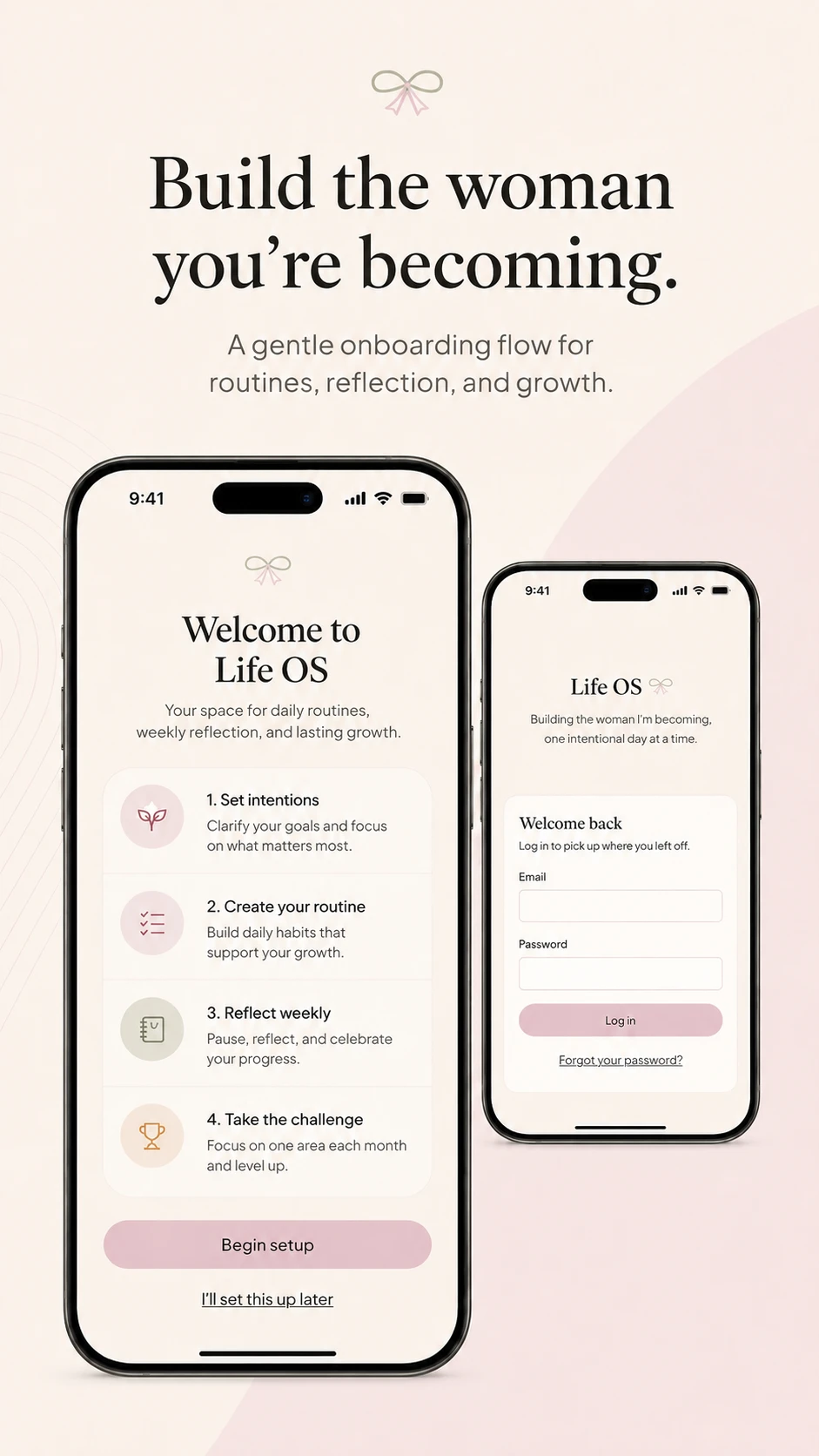
01 — Onboarding
Building the woman you're becoming.
A gentle four-step introduction sets intentions, explains the routine and reflection loop, and lets the system feel like a beginning rather than another checklist to keep up with.
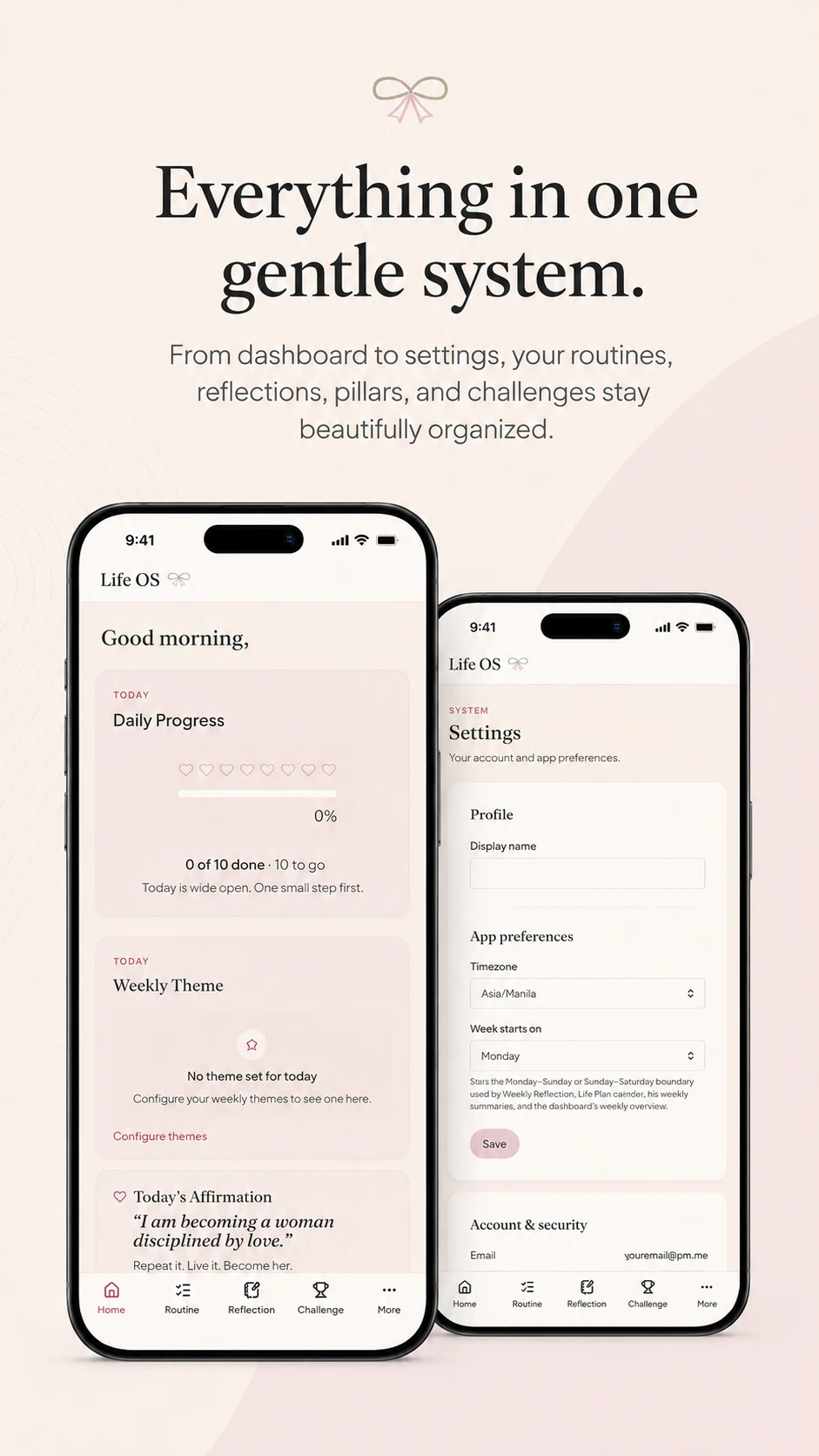
02 — System overview
Everything in one gentle system.
The dashboard surfaces today's focus, a daily progress ring, and a rotating affirmation, while settings quietly hold timezone, week-start, and account preferences underneath.
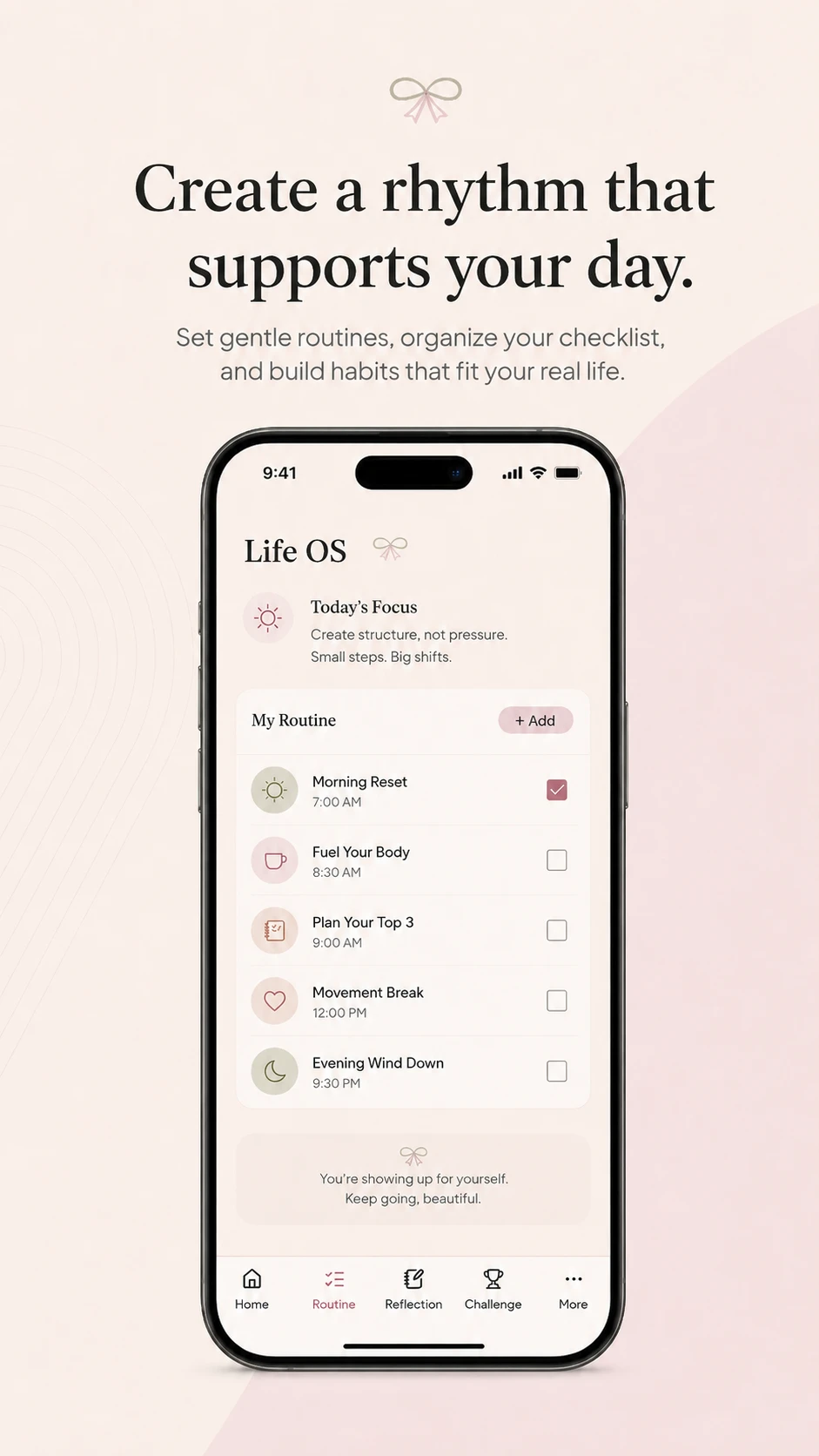
03 — Routine
Create a rhythm that supports your day.
A time-anchored routine list — morning reset through evening wind-down — with simple check-offs and a closing note that reinforces effort over perfection.
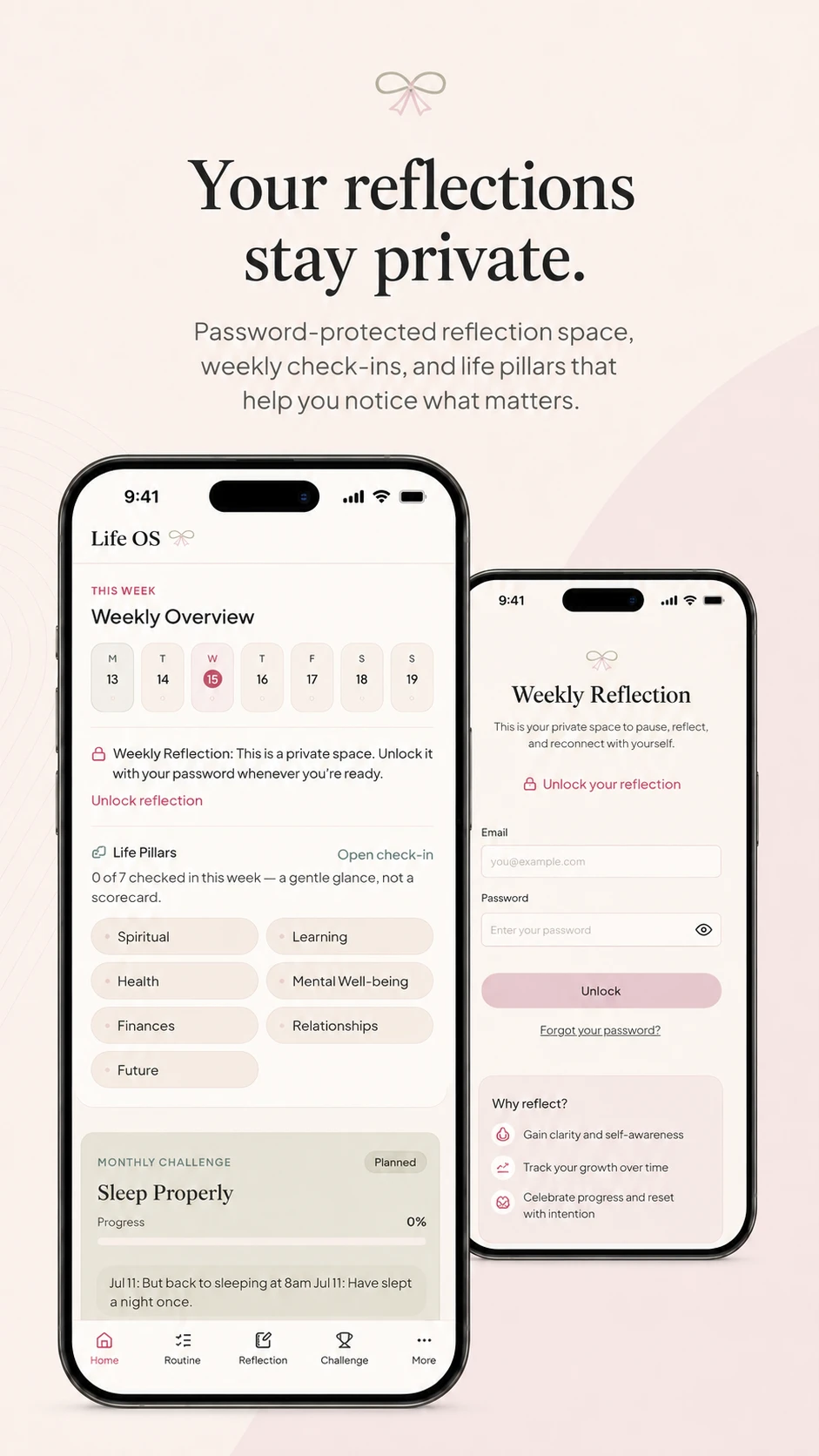
04 — Reflection
Your reflections stay private.
A password-protected weekly reflection space sits alongside a lightweight life-pillars check-in — a glance across seven areas, not a scorecard.
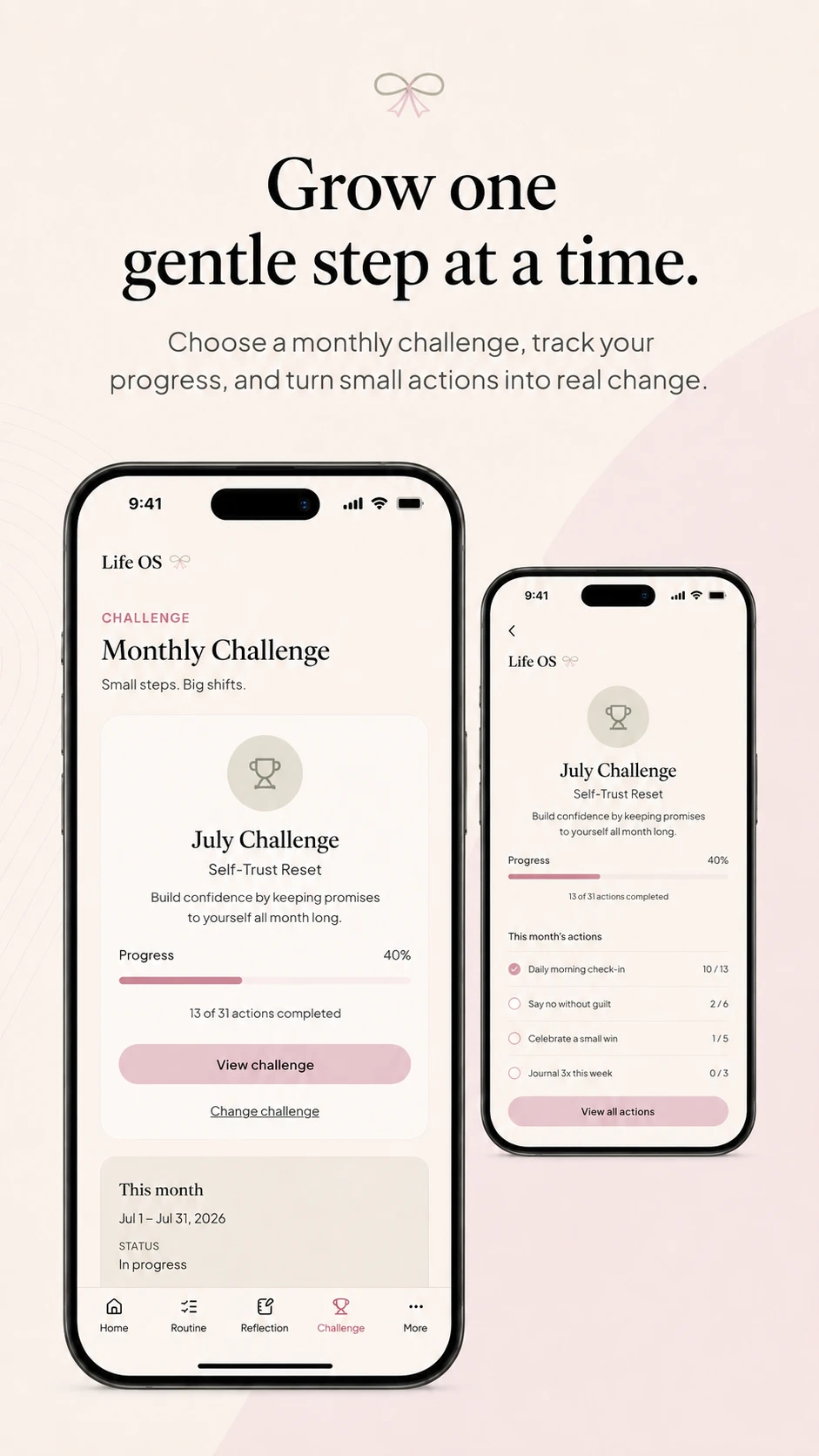
05 — Challenge
Grow one gentle step at a time.
A single monthly focus with a visible progress bar and a short list of tracked actions, designed to turn one theme into small, repeatable steps.
Design direction
Soft, editorial, and unmistakably calm.
Warm ivory canvasA soft blush-to-ivory gradient background instead of stark white, so every screen feels warm rather than clinical.
Muted blush & sageA restrained accent palette of dusty blush and sage green used sparingly for status and progress states.
Serif headlinesAn editorial serif for titles paired with a clean sans for body text, giving the system a personal, journal-like feel.
Gentle mobile UIRounded cards, soft shadows, and generous spacing built mobile-first for quick daily check-ins.
Calm tone of voiceCopy written to encourage rather than track — "today is wide open," never a red warning or a missed-streak alert.
Privacy-first structureThe most personal layer — reflection — is separated and locked, never mixed into the general dashboard view.
A note on privacy: This project is shown as an anonymized personal operating system. Personal names, private data, and identifying details have been removed. All labels, sample data, and copy visible in the screens above are representative, not real personal entries.
Outcome
Reduced manual checking
Cleaner daily organization
Calmer structure around routines
Reusable workflow logic
One connected system instead of scattered notes
Want a private system like this?
Plan your own operating system →